
Back to All Guides
Guideshow to use WhatsApp for marketing·11 min read·September 2, 2026

How to use WhatsApp for marketing

A step-by-step guide to WhatsApp marketing: getting opt-in, choosing templates, writing messages people reply to, and the mistakes that get numbers blocked.

N

Nick Sharma

Lead Solutions Architect & Technical Consultant

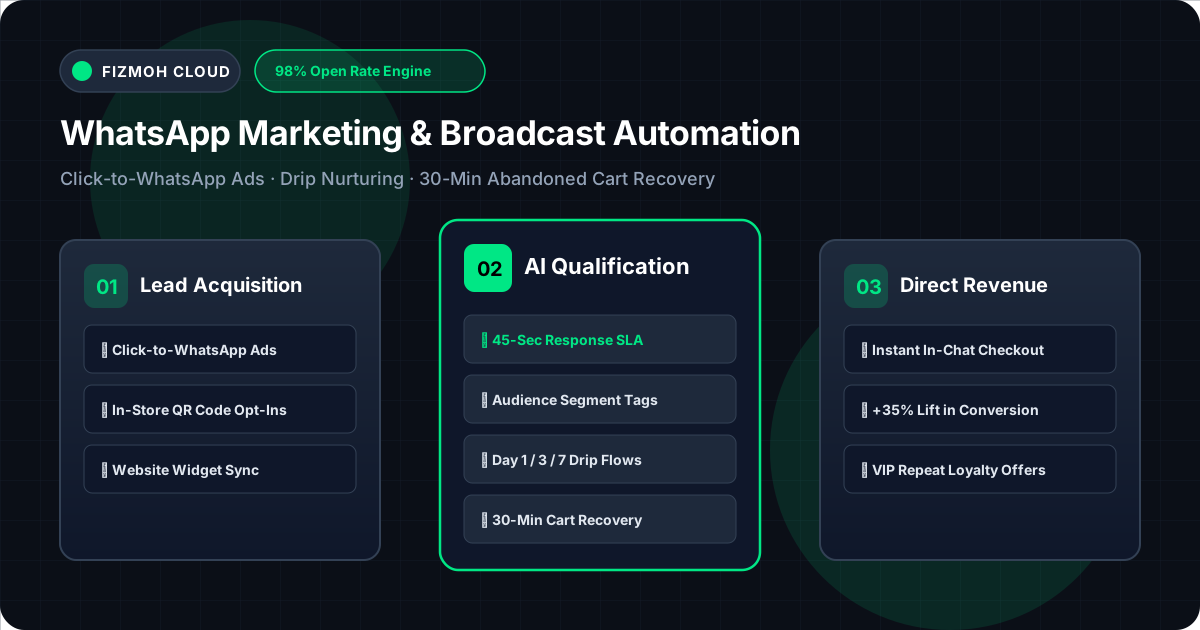
WhatsApp marketing funnel from opt-in through to conversion

Most WhatsApp marketing advice starts with tools. It should start with permission, because permission is the only thing standing between a working channel and a banned number.

This guide covers the sequence that actually works: getting opt-in, understanding the messaging window, writing messages worth replying to, and the mistakes that quietly destroy a sender's reputation.


1. Start with opt-in, not a contact list

The most common way businesses fail at WhatsApp is importing a list of numbers they already have and starting to send. Those people never agreed to hear from you on WhatsApp, and WhatsApp measures that directly: every block and every "report" pushes your quality rating down, and a low rating cuts your daily messaging limit before it eventually stops you entirely.

Consent that actually holds up:

  • A checkbox at checkout that names WhatsApp explicitly
  • A Click-to-WhatsApp ad, where the customer opens the conversation
  • A QR code the customer chooses to scan
  • Someone messaging you first

Record where each opt-in came from and when. You will need it if Meta asks, and you will want it when deciding who is safe to message.

2. Understand the 24-hour window

This one rule shapes everything:

  • A customer messages you → you may reply freely for 24 hours
  • Outside that window → you may only send a pre-approved template

Templates are categorised, and the category is not cosmetic — it determines both price and what you are allowed to say:

CategoryForNotes
UtilityOrder updates, reminders, receiptsCheapest; must relate to an existing transaction
AuthenticationOne-time codesStrictly codes only
MarketingOffers, launches, re-engagementMost expensive, most likely to be blocked

Miscategorising a marketing message as a utility one to save money is the fastest route to template rejection and account review.

3. Write messages people reply to

WhatsApp is not email. A message that would look brief in an inbox looks like an essay in a chat.

What works:

  • Lead with the specific thing. "Your Saturday 6am safari is confirmed" beats "An update on your booking."
  • One action per message. Two links means neither gets tapped.
  • Use buttons rather than instructions. A tappable "Confirm" beats "reply YES to confirm."
  • Write like the person, not the brand. These arrive between messages from family.
  • Answer in the language they wrote in. In the Gulf that means Arabic and English, and often Arabic in a Gulf dialect.

What does not work: block capitals, three emoji per line, and anything that reads like an SMS blast from 2010.

4. Five mistakes that get numbers blocked

  1. 1Buying or scraping numbers. Fastest possible ban, and it takes the number with it.
  2. 2Ignoring opt-outs. If someone says stop, stop — including for "just one more" campaign.
  3. 3Sending at the wrong hour. A marketing message at 11pm gets blocked rather than read.
  4. 4The same broadcast to everyone. Irrelevance is what makes people report you.
  5. 5No reply path. Sending from a number nobody monitors trains customers to block you.

Recovering a damaged quality rating takes weeks of good behaviour. Not damaging it is much cheaper.

5. Measure replies, not sends

Delivered and read rates flatter you. The numbers that matter:

  • Reply rate — did the message start a conversation?
  • Completed actions — bookings made, carts recovered, payments taken
  • Opt-out rate — the earliest warning that your targeting is wrong
  • Cost per completed action — not cost per message

A campaign with a 20% reply rate and 40 bookings beats one with a 98% read rate and none.


Where to start

Pick the one message you send most often — a booking confirmation, a payment reminder, an order update — and move it to WhatsApp first. It is transactional, so it is cheap and welcome. Get that working, watch your quality rating hold, and expand from there.

Frequently Asked Questions

No. Every recipient must have opted in to hear from you on WhatsApp specifically. An email subscription, a purchase, or having someone's number is not consent, and messaging without it will damage your number's quality rating within days.
About the Author
N

Nick Sharma

WhatsApp Business Platform Specialist · Enterprise SaaS & GCC Commerce Architect

Nick builds scalable WhatsApp Cloud API infrastructure, visual botflow engines, and automated conversational commerce systems for GCC enterprises.

Related Topics & Keywords

how to use WhatsApp for marketingWhatsApp marketing tipsWhatsApp marketing best practicesWhatsApp marketing mistakesWhatsApp marketing guideWhatsApp marketing strategyWhatsApp opt-inWhatsApp message templatesWhatsApp quality rating
14-Day Free Trial · No Credit Card

Turn WhatsApp Chats into Your Top Revenue Channel

Deploy your official Meta Cloud API workspace, multi-agent CRM, AI botflows, and native AmwalPay checkout in under 10 minutes.